Room Addition Cost [2026 Data]
Adding a room to your house costs approximately $48,000 on average in 2026, with many homeowners spending between $20,900 and $72,600. Larger additions, bathrooms, and primary suites can cost considerably




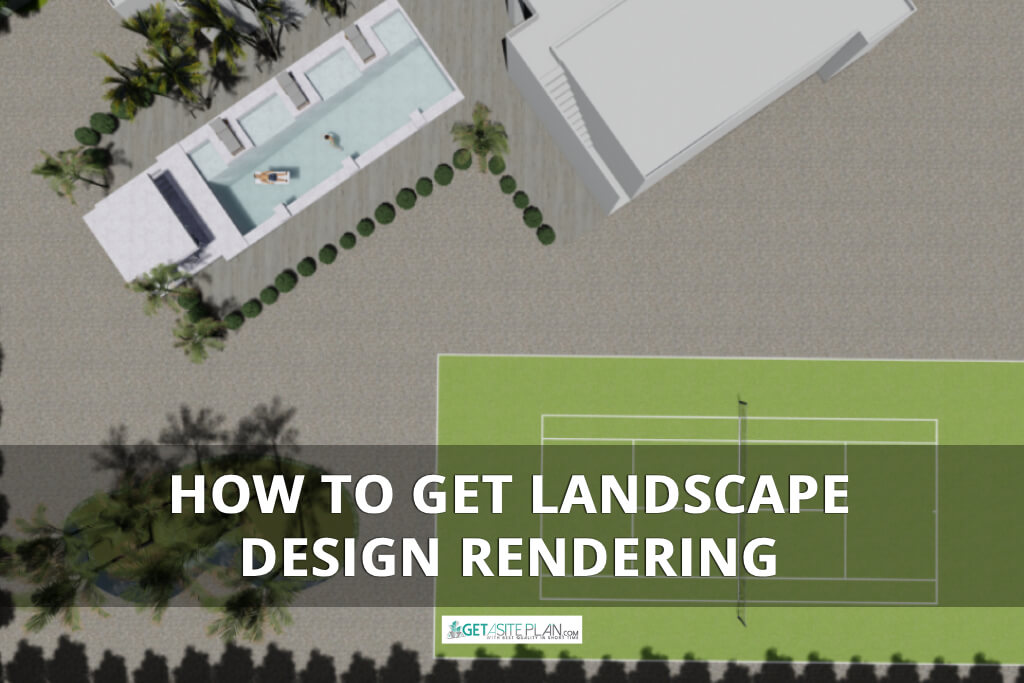

A landscape rendering gives you a 3D preview of your garden or yard – a chance to see every angle before any work begins. And it has gone digital. What once required weeks of sketches and revisions can now be modeled, textured, and rendered in a single afternoon.
So, whether you’re experimenting with DIY software or collaborating with professionals, this guide shows you how to get your rendering made efficiently.
By the end, you’ll know when to do it yourself – and when certain services’ expertise, like GetASitePlan’s, can save you time, cost, and rework.

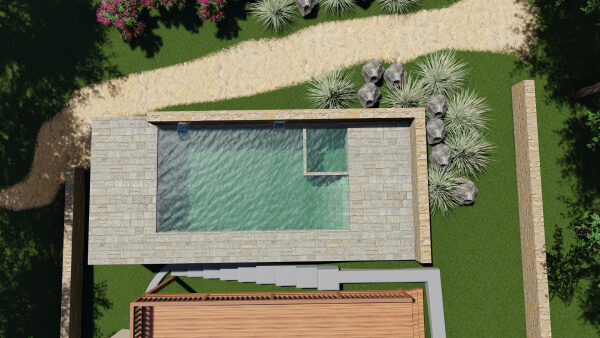
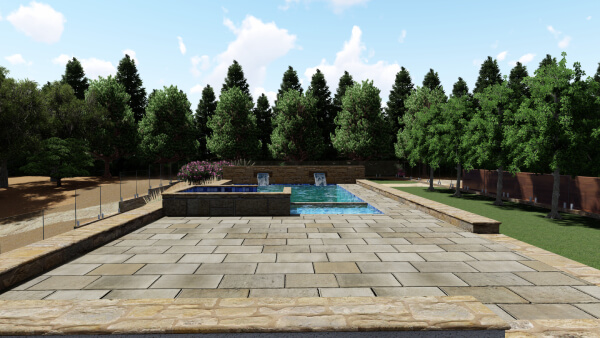
A landscape design rendering is a digital visualization that transforms a landscape plan into a realistic 3D model of an outdoor space. It combines design, architecture, and environment to illustrate how elements like plants, textures, lighting, and layout interact before construction begins.
Through rendering, designers can simulate materials, visualize garden concepts, and optimize spatial flow – helping homeowners and clients see how the final landscape will look and feel. It’s both a creative and technical tool that bridges design ideas with real-world execution.
A rendering may begin as pixels on a screen, but its purpose extends far beyond aesthetics. It’s not just about what a garden looks like – it’s about how confidently it can be built.
Since landscape rendering is a kind of planning instrument helping you visualize, optimize, and communicate your design, you need it before building anything on your property.
For homeowners, it prevents guesswork and costly redesigns. For architects and builders, it enhances presentation quality and client trust. And for everyone involved, it ensures the final environment aligns with the original concept – functional, aesthetic, and true to vision.
For projects that also require property boundaries, access points, and structures, a 3D site plan complements landscape visualization.
Once you’ve decided to bring your concept to life, the next step is choosing how to get it rendered. Some prefer to explore digital tools themselves, while others rely on experienced designers to handle every layer of detail.

Every landscape begins as an idea – sometimes sketched by hand, sometimes built in pixels. The path you choose to visualize it depends on time, skill, and the level of realism you want.
Some designers prefer the tactile process of crafting 3D renderings themselves, while others rely on professional services for accuracy and detail.
Let’s look at how each approach works.

Landscape rendering software has evolved into an intuitive way to design, visualize, and model outdoor spaces. Programs like SketchUp, Realtime Landscaping, Lumion Planner 5D, and Lands Design allow users to import a property plan, customize textures, test lighting, and simulate real materials.
For DIY creators, it’s a way to explore form and function at once – a balance between artistic freedom and digital precision. Still, achieving a truly realistic 3D model requires patience, attention to scale, and a good sense of spatial composition.
Creating a DIY landscape rendering follows the same rhythm as professional visualization, only at a slower, more exploratory pace.
It starts with a base plan of your property, which becomes the canvas for your digital environment. From there, you build layers: terrain, paths, structures, and plants.
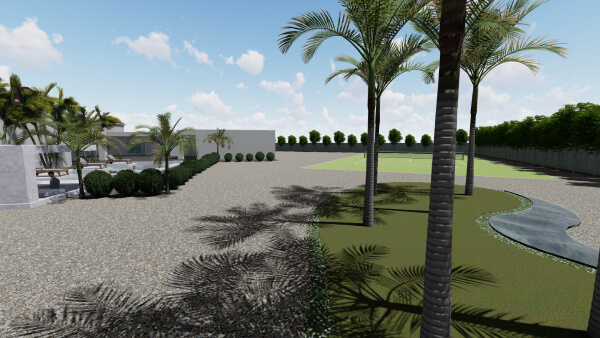
Once the layout feels balanced, lighting and textures bring depth to the scene – shadows stretching across the yard, stone reflecting sunlight, water softening the edges of the design. The rendering phase then transforms your layout into a realistic 3D model, allowing you to walk through your garden virtually and adjust details before committing to construction.
Here’s a tutorial how to do landscape rendering design in Structure Studio software:
DIY rendering is as much about discovery as design, a creative process that turns curiosity into visualization.
The DIY route offers something professional renderings rarely can – the satisfaction of building your vision from the ground up. You decide every texture, every path, every angle of light. It’s immersive and educational, giving you a deeper understanding of your property’s form and function.
But this freedom comes with trade-offs. Realistic rendering demands precision: scale, lighting, and materials must align for the 3D model to feel believable. It can take hours to refine what a professional would model in minutes.
DIY rendering is best for exploring ideas and experimenting with design concepts, but when accuracy and presentation matter, expert hands make a noticeable difference.

At some point, every design reaches a stage where precision matters more than experimentation. That’s when a professional rendering service steps in, translating sketches, site plans, or conceptual models into detailed, high-quality visualizations.
Professional designers work with advanced 3D software, layering textures, lighting, and environmental details to create immersive scenes that reflect both realism and intent. The result isn’t just a drawing, it’s a presentation-ready rendering that can guide builders, impress clients, or secure permit approval.
Services like GetASitePlan specialize in transforming rough ideas into accurate, buildable visual stories. They manage scale, composition, and spatial balance so you can focus on the creative direction, knowing your design will be rendered clearly, consistently, and beautifully.
Professional landscape renderings follow a structure that balances creativity with precision. It begins when a designer reviews your plan – whether it’s a survey, sketch, or concept layout, and interprets the intent behind every line.
From there, the team develops a 3D model, layering topography, materials, and environmental elements until the composition feels both functional and aesthetic.
Once form and proportion are set, lighting defines the mood. Subtle shadows, reflections, and color temperature bring realism to the scene, turning a plan into an atmosphere. The rendering phase then refines every texture and plant detail before final output.
At GetASitePlan, this process happens seamlessly online, an efficient collaboration where your concept becomes a clear, high-quality visualization ready to present or build from.
You can see finished project in the following video:
Ordering a landscape rendering through GetASitePlan starts by visiting GetASitePlan.com and selecting Landscape Renderings. From there, upload your plan, sketch, or property layout. Even a rough drawing is enough to begin.
Add notes about materials, lighting, or the overall aesthetic you’re aiming for. Within a short turnaround, a professional designer reviews your input, builds the 3D model, and returns a high-quality rendering for approval.
It’s a streamlined process: clear steps, open communication, and results that transform a simple idea into a tangible visual plan, ready to share, present, or build.
Choosing between DIY software and a professional rendering service depends on how you like to work, and what you need the final visualization to accomplish.
DIY tools offer freedom: you can design, model, and experiment with materials and layouts at your own pace. They’re ideal for early concepts and creative exploration. But they demand time, patience, and technical precision to achieve realism.
Professional renderings, on the other hand, focus on accuracy, presentation, and efficiency. Teams like GetASitePlan handle scale, lighting, and detail, producing polished results ready for clients, permits, or construction.
Here’s a table with a quick overview of pros and cons.
| Feature | DIY (Software) | GetASitePlan Service |
| Time | Flexible | 24-48 hours |
| Skill Required | High | None |
| Realism | Moderate | Photorealistic |
| Support | Self-directed | Professional guidance |
| Purpose | Exploration | Presentation & Execution |
Table 1: Positives and negatives of DIY and professional approach
Costs vary by complexity and level of detail. DIY software can be free or subscription-based, while professional landscape renderings typically range from $150 to $600, depending on the property size and realism required.
AI landscape apps provide fast conceptual visuals, but their accuracy is limited. They generate aesthetic suggestions rather than scaled, buildable plans. For precise layouts, textures, and environmental context, human-guided rendering remains essential.
Professionals often use SketchUp with V-Ray, Lumion, or Lands Design. These tools produce realistic lighting, textures, and vegetation, making them favorites among landscape architects for both concept and presentation work.

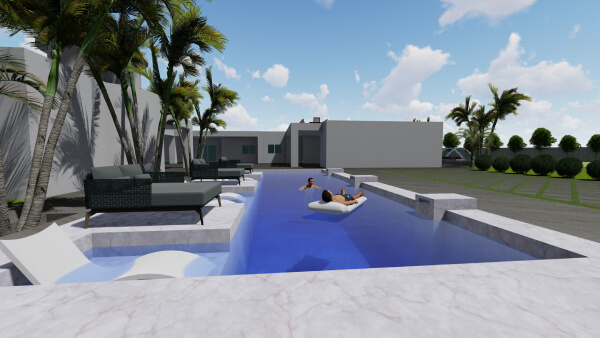
Whether you’re experimenting with DIY software or working with professionals, the process helps you visualize your project with clarity and precision. A good rendering transforms abstract planning into something tangible, helping you refine every choice before it becomes permanent.
For professional-grade results, GetASitePlan’s 3D Rendering Services deliver detailed, presentation-ready visualizations that turn your plan into a realistic, buildable design.

Adding a room to your house costs approximately $48,000 on average in 2026, with many homeowners spending between $20,900 and $72,600. Larger additions, bathrooms, and primary suites can cost considerably
Building a new deck costs $8,321 on average in 2026, with most homeowners spending between $4,339 and $12,653. According to Angi’s 2026 deck cost data, those figures come from more

A general contractor manages the construction side of a project from pre-construction through completion. The job usually includes coordinating subcontractors, ordering materials, managing schedules, handling inspections and permits when required
